
You start a four-hour print. You walk away. Twenty minutes later you pick up your phone, unlock it, open the Bambu app, wait for it to load, and see that it's at 9%. Great.
Now do that with two printers.
I have an A1 and an X2D. I also had a LilyGO T-Encoder-Pro sitting in a drawer: an ESP32-S3 with a 1.2 inch round AMOLED, a touch panel and a rotary knob. It was begging to become something.
So it became Bambu Monitor. A little round dashboard that sits on my desk, shows both printers at a glance and beeps when one of them needs me.
Do I really need the cloud for this?
Both of my printers are bound to Bambu Cloud, and I wanted to keep it that way. That gave me two options.
Cloud MQTT. Log in with your Bambu account and subscribe to your printers through Bambu's servers. It works from anywhere. It also needs a token that expires every few months, and it stops working the day Bambu's servers have a bad afternoon.
LAN MQTT. Every Bambu printer runs its own MQTT broker on your network. You need three things from the printer's screen, and none of them expire:
| What | Where on the printer |
|---|---|
| IP address | Settings → WLAN |
| Access code | Settings → WLAN |
| Serial number | Settings → Device |
The part I didn't expect: this works while the printer stays connected to the cloud. No LAN-only mode, no developer mode, just for reading status. You can try it yourself before writing a single line of firmware:
mosquitto_sub -h 192.168.1.50 -p 8883 --insecure \
  --cafile /etc/ssl/certs/ca-certificates.crt \
  -u bblp -P <access-code> -t 'device/<serial>/report'
That stream of JSON is the whole API. Progress, layers, temperatures, fans, AMS spools, error codes. The device just has to listen and draw.
I went with LAN. A desk gadget shouldn't depend on somebody else's uptime.
What it shows
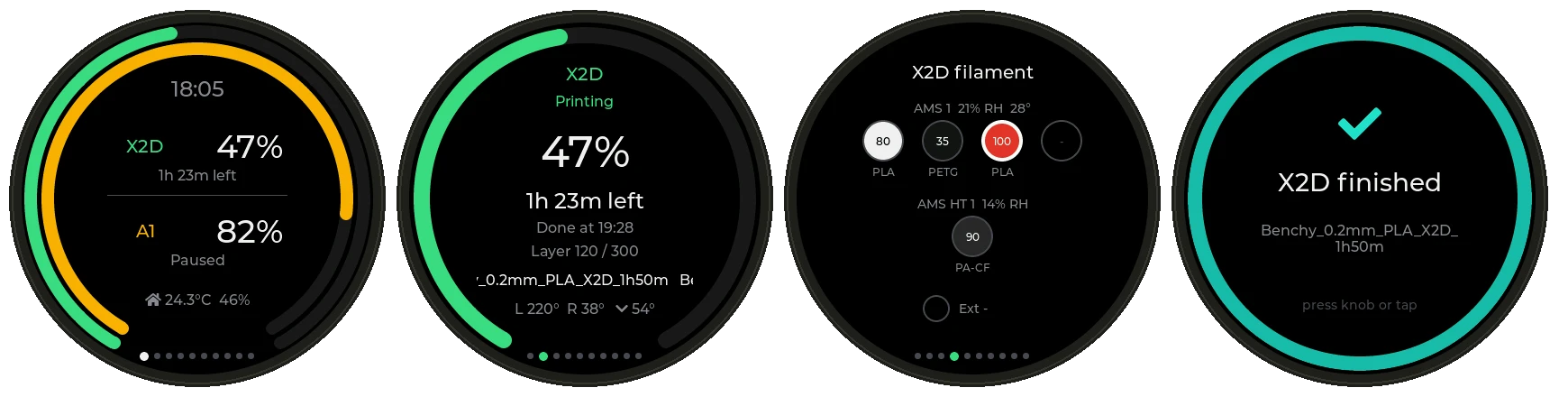
Turn the knob to flip pages. With two printers you get an overview with one ring per printer, then four pages per printer.
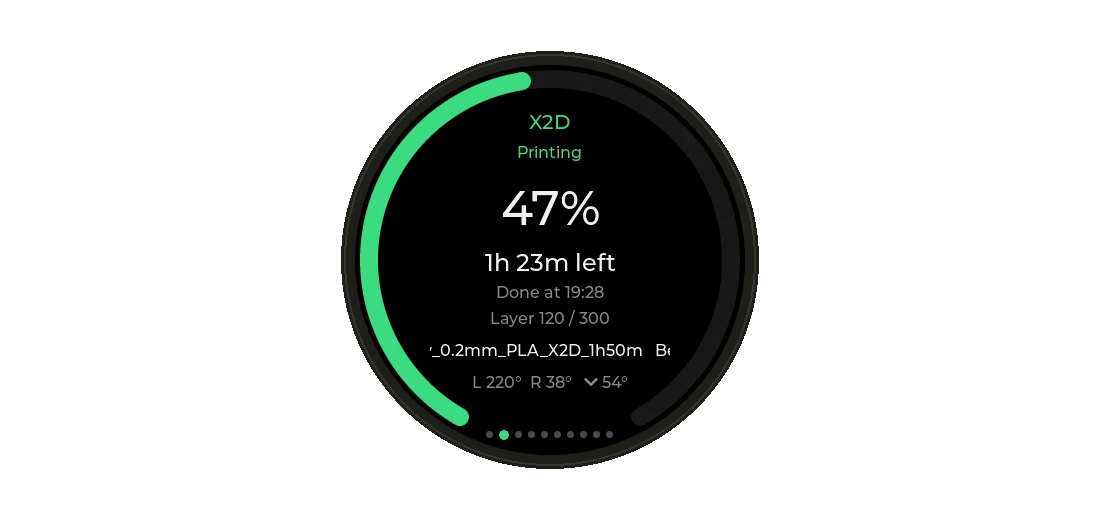
The status page answers the only question I actually have: how long until it's done? "1h 23m left" plus the actual time it finishes is better than any percentage.
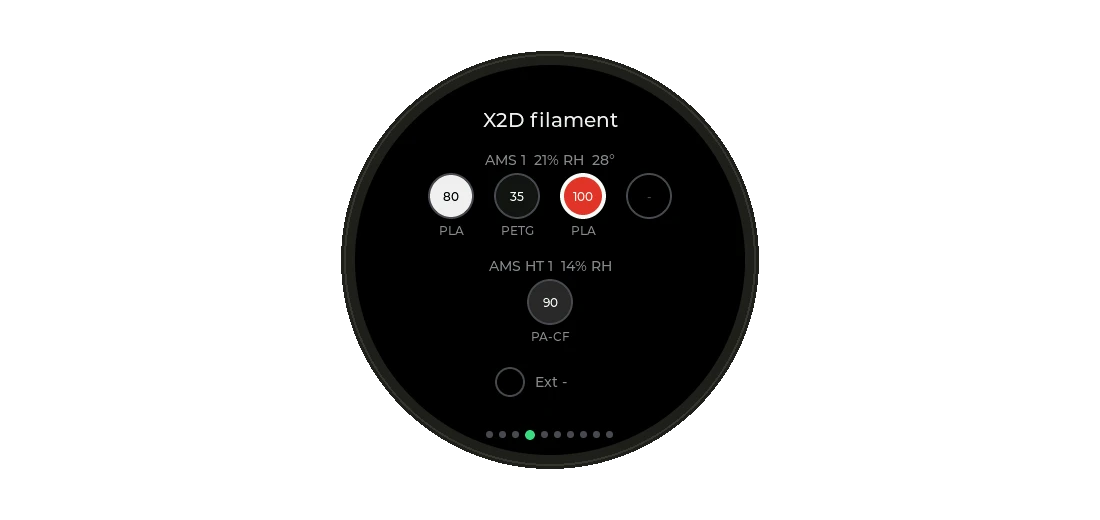
The filament page draws your AMS spools in their real colours, with the active one outlined. The X2D's AMS HT gets its own row.
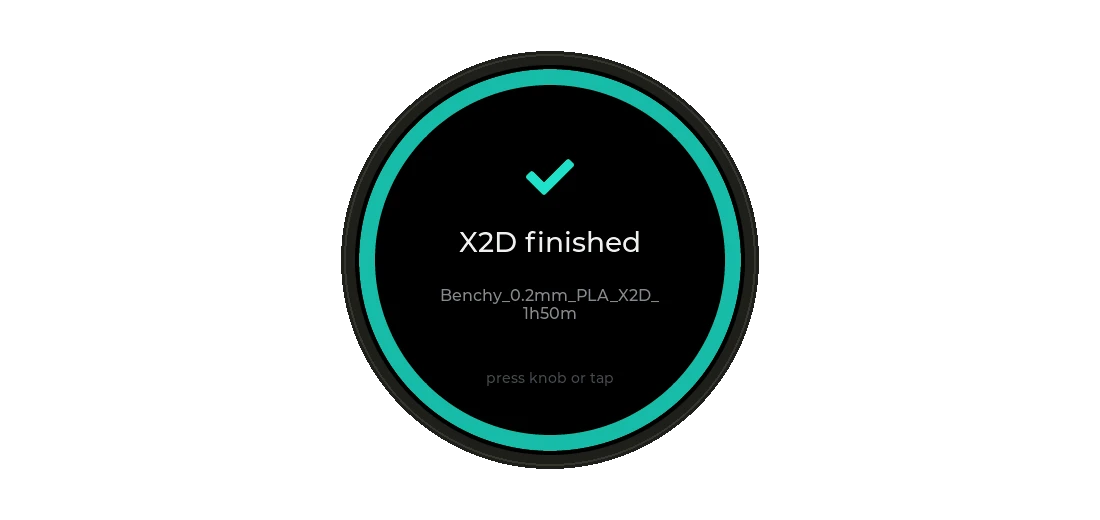
And when something happens, it gets loud. A finished print gets a teal screen and a little melody. A filament runout gets amber. A failure gets red and an alarm that ignores quiet hours. It keeps reminding you every two minutes until you press the knob.
The screen is also the button
This is the bug I'm a little embarrassed about.
My first version used the knob's push switch for actions and touch for navigation. Long-press the screen to open the menu. Tap to switch printers. On paper, perfect.
Then I used it. Every time I pressed the screen, a menu opened. Or the printer switched. Or both. And when I actually wanted the menu, I couldn't get it to open reliably.
Turns out on the T-Encoder-Pro, the whole display sits on top of the push switch. You can't press the button without touching the screen. Every press was two inputs.
The fix was to stop fighting the hardware:
| Do this | Result |
|---|---|
| Turn | Next page |
| Press | Menu |
| Double-press | Other printer |
| Hold | Home |
And while the switch is down, touch is ignored completely. A press can never also be a tap. Touch is now just for swipes.
Obvious in hindsight. Most hardware bugs are.
Spin it fast and it reboots
The second bug report I got from myself was shorter: "if I turn the knob too fast, the device restarts."
No crash log, because the device was in another room. So I reproduced it on my PC instead. The repo has a small renderer that compiles the real UI code against LVGL with fake printer data. I wrote a stress test that spins the virtual knob 20,000 times with random timing and ran it under AddressSanitizer.
It crashed on the first try. Inside LVGL itself.
Every page change used lv_scr_load_anim() with a short slide. If you change page again while the previous slide is still running, LVGL 8.3.11 does this:
if(d->scr_to_load) {
    scr_load_internal(d->scr_to_load);   /* sets d->scr_to_load = NULL */
    lv_anim_del(d->scr_to_load, NULL);
    lv_obj_set_pos(d->scr_to_load, 0, 0); /* ...and then uses it */
A NULL dereference, triggered by impatience. Spinning the knob fast is the one thing a knob invites you to do.
The fix: never leave a screen animation pending. Pages now load instantly and I slide the page's content myself. The same 20,000 turns run clean. I would not have found that by twiddling the knob on my desk.
Two panels, one firmware
LilyGO shipped the T-Encoder-Pro with two different displays. Earlier units have an SH8601 panel with a CHSC5816 touch chip. Later ones have a CO5300 with a CST816. Different drivers, different touch protocols, same product page.
You can't ask the display which one it is. But you can ask the I2C bus who's there:
Wire.begin(PIN_TP_SDA, PIN_TP_SCL, 400000);
touchReset();
if (i2cProbe(0x15))       // CST816 -> CO5300 panel
    panel = PanelType::CO5300_CST816;
else if (i2cProbe(0x2E))  // CHSC5816 -> SH8601 panel
    panel = PanelType::SH8601_CHSC5816;
The touch chip gives the panel away. One firmware works on both, and mine turned out to be the older one.
The X2D speaks a newer dialect
The A1 reports temperatures the way every guide on the internet describes: nozzle_temper, bed_temper. It also only sends what changed, so the firmware merges each message into the state it already has.
The X2D has two nozzles, and it packs each temperature into a single number:
"extruder": { "state": 18, "info": [
  { "id": 0, "temp": 38, "snow": 65535 },
  { "id": 1, "temp": 14418140, "snow": 2 }
]}
14418140 is 220 << 16 | 220. Target in the high half, current in the low half. state: 18 means two nozzles with the left one active. snow tells you which AMS slot feeds each nozzle. Once you know the trick it's a two-line decoder. Until then it's a printer claiming to be at fourteen million degrees.
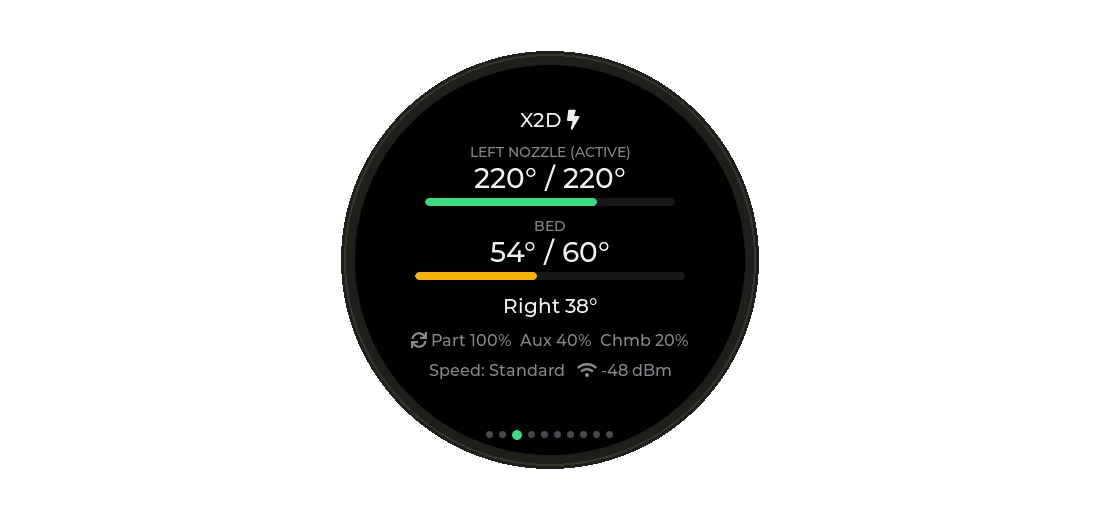
The parser lives in its own file with a PC test that feeds it both dialects. Adding the next printer means adding a test case, not flashing and hoping.
Using every bit of the hardware
I wanted the board to earn its place, so every part does something:
| Hardware | Job |
|---|---|
| Round AMOLED | Rings, pages, alerts, setup QR code. True black, so it doesn't glow at night |
| Rotary knob | Pages, menus, brightness and volume |
| Push switch | Menu, switch printer, home, dismiss alerts |
| Touch | Swipes |
| Speaker | Melodies for finished, paused and failed, plus knob ticks |
| Qwiic port | Plug in a temperature sensor for room climate, or a light sensor for auto-brightness |
AMOLEDs burn in, and a dashboard is the most static thing you can show on one. So the screen dims after a minute, turns off when nothing is printing, and everything drifts a few pixels every 90 seconds.
Shut up, how do I get one?
Buy a LilyGO T-Encoder-Pro. Then:
- Open the web flasher in Chrome or Edge and click Install.
- Scan the QR code on the screen to join its setup Wi-Fi.
- Enter your Wi-Fi and, for each printer, the IP, serial and access code.
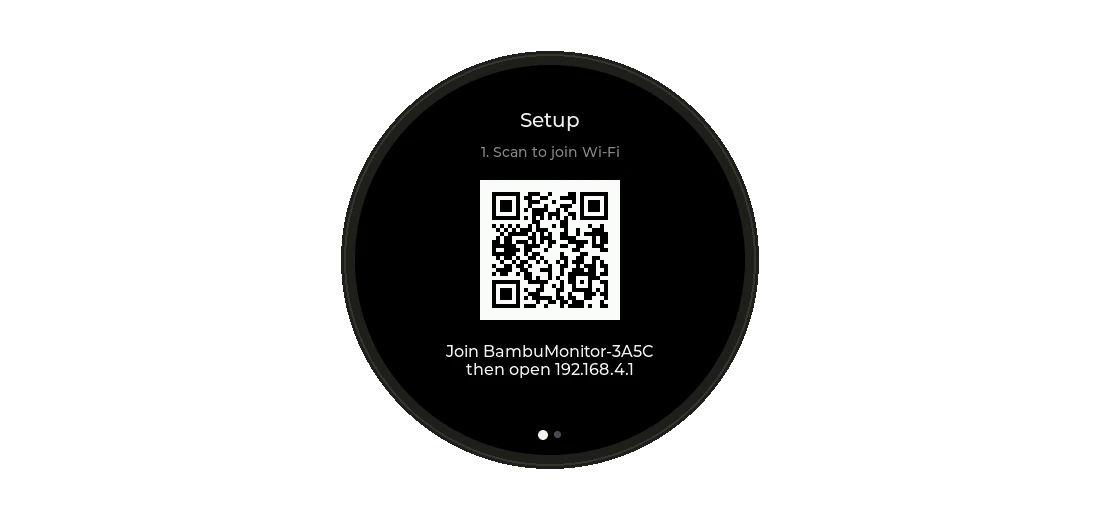
Updates after that go over Wi-Fi. Pause, stop and speed work from the menu too, though newer printer firmware may ignore control commands over LAN unless you enable Developer Mode. Watching always works.
The code, the PC renderer and the full guide are on GitHub.
Glanceable beats capable
My phone can do a thousand things, and that's exactly why it's a bad print monitor. Every check costs an unlock, an app, a wait and usually a detour into something else.
The knob does one thing. It sits there, it's always on, and it makes noise when I need to walk over. Most of the work was making it do less, more reliably. And as the screen-and-button bug proved, the hardware gets a say in that.
Feel free to connect or reach out if you have questions, have a Bambu printer it doesn't understand yet, or put it on hardware I haven't thought of.