
A coworker sent me a link. No context, just "look at this."
It was MapGenie's interactive map of Leonida, the state GTA VI is set in. Plum glass panels. Big condensed deco headings in cream and peach. Pink pill buttons. A teal sea. It looks like a Miami sunset that learned typography.
I had Google Maps open in the next tab. Grey, white, sensible. I use it every day and have never once thought it looked good.
So I asked AI agents to fix that. By the evening I had a Chrome extension that restyles Google Maps, and an Android app that navigates me around in the same look, with Android Auto screens for the car. It's all open source: github.com/bnap00/vice-maps.
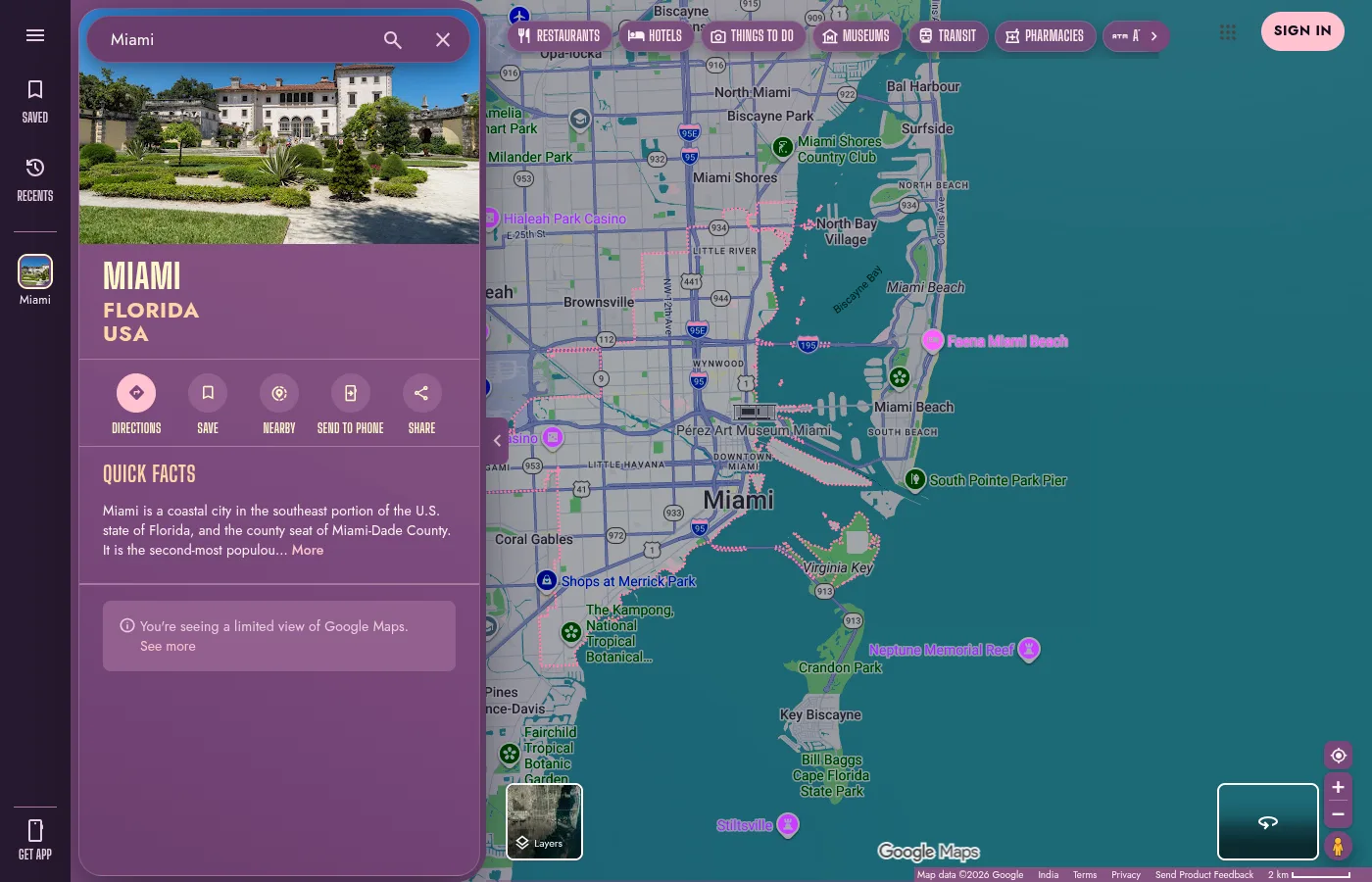
Here's what Google Maps looked like before
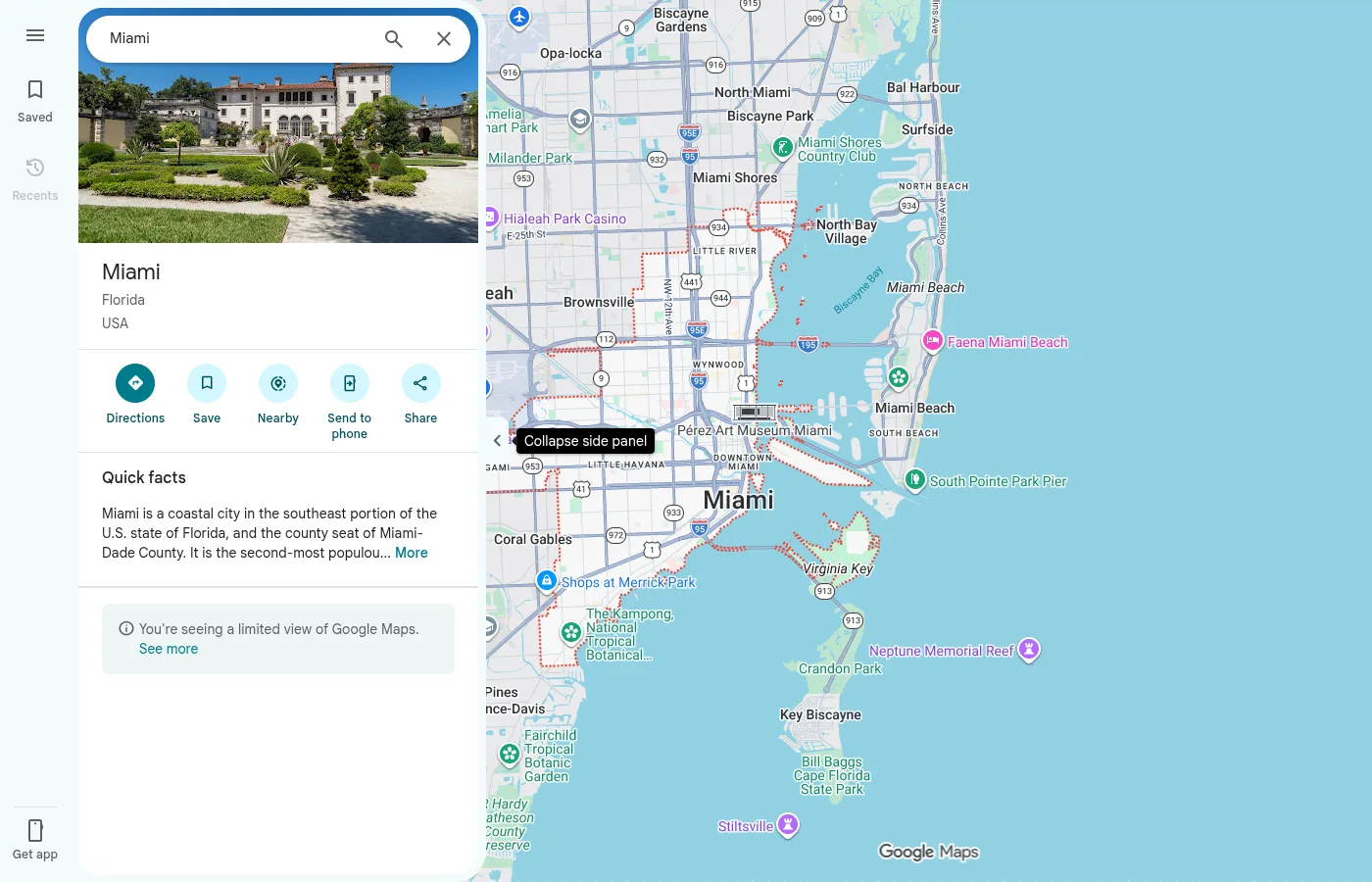
Same place, same zoom. The only difference is one extension.
My whole prompt was one sentence
I opened Claude Code (Opus 5.5) in an empty folder and typed, roughly, "I really like the look of this map, can we create a Chrome extension to make Google Maps look like this?" Then the link.
That's it. No spec, no colour codes, no screenshots. The agent went and looked at the page itself, pulled out the palette, worked out the fonts and the shapes, and came back with a plan.
I want to be honest about my contribution here. It was mostly taste, and saying "no."
Google Maps doesn't want to be restyled
The obvious approach is to write some CSS and override Google's colours. It doesn't work, for two reasons.
The colour names are hashed. Google Maps keeps its colours in CSS variables with names like --t1a2b. They change between releases. Any stylesheet that targets them by name breaks the next time Google ships.
So the extension doesn't use names at all. At runtime it reads every colour variable on the page, looks at its value (how light, which hue, how saturated) and maps it onto the new palette. A near-white surface becomes plum. A mid-blue accent becomes pink. Whatever Google renames them to next month, the values still mean the same thing.
The map is a canvas. The roads, water and parks aren't HTML, they're pixels on a WebGL canvas. CSS can't recolour pixels. But an SVG filter can:
html.vice-map-day:not(.vice-raw) canvas.vice-map-canvas {
  filter: url(#vice-grade-day);
}
#vice-grade-day is a colour matrix that colour-grades the map like a film. It pushes blue water toward teal, grey city blocks toward slate and parks toward palm green. There's a second matrix for night: indigo sea, dusk-purple land, pink highways.
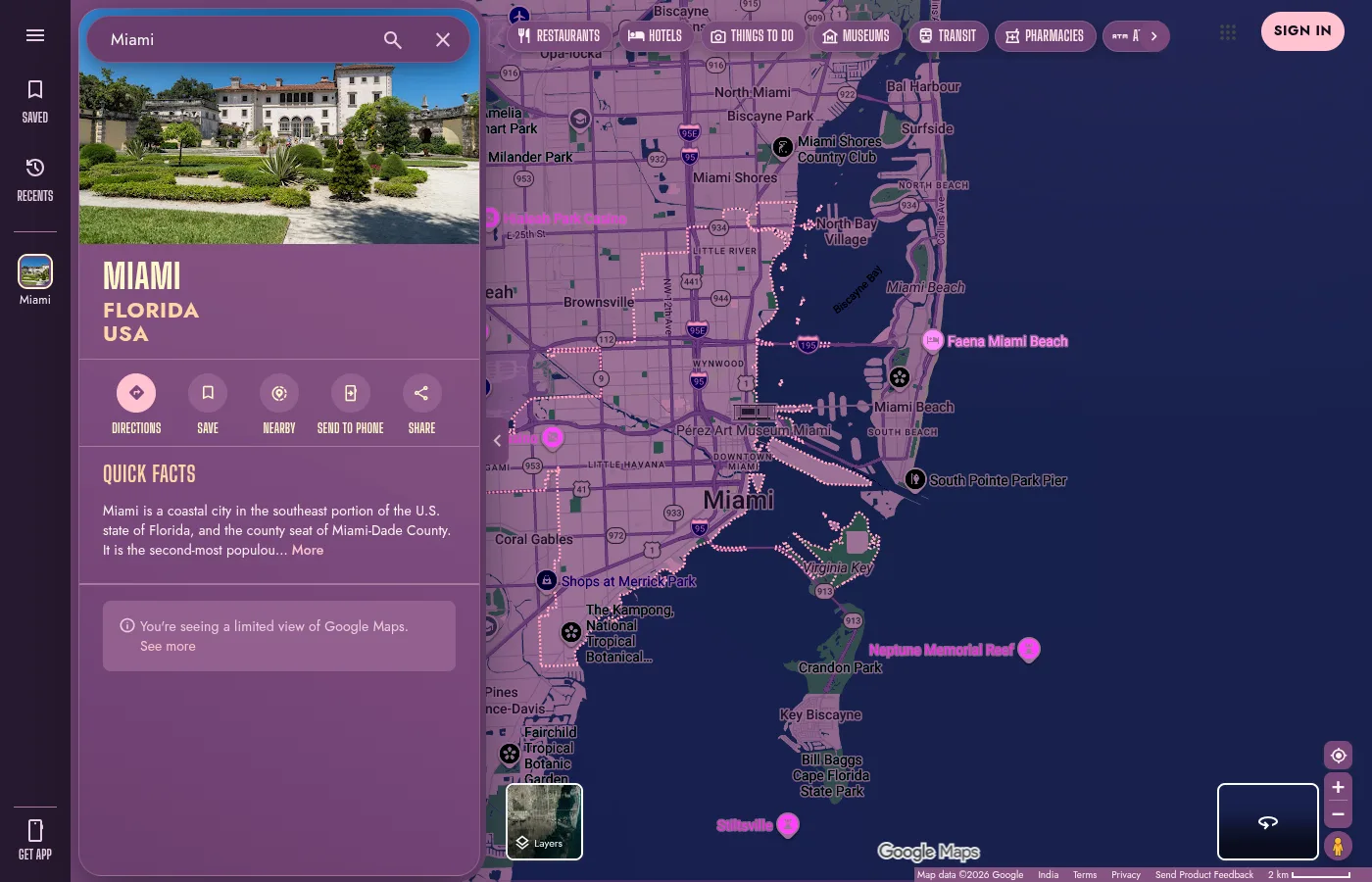
Satellite and Street View get detected from the URL and left alone. Nobody needs a purple Street View.
The bugs were the funny part
The first version had every button label broken in half. "DIRECTI ONS." "RECEN TS." A specificity fight between my font rule and Google's, which squeezed condensed letters into boxes sized for a different font.
The next bug was the extension deciding I was in dark mode. It was reading its own plum panels back, seeing a dark colour and assuming the system theme had changed. It got fooled by its own paint job. Now it decides once and remembers.
And MapGenie's own heading font is a licensed one, so that was a no. The agent found two open fonts that get close, Big Shoulders Display and Jost, and bundled them.
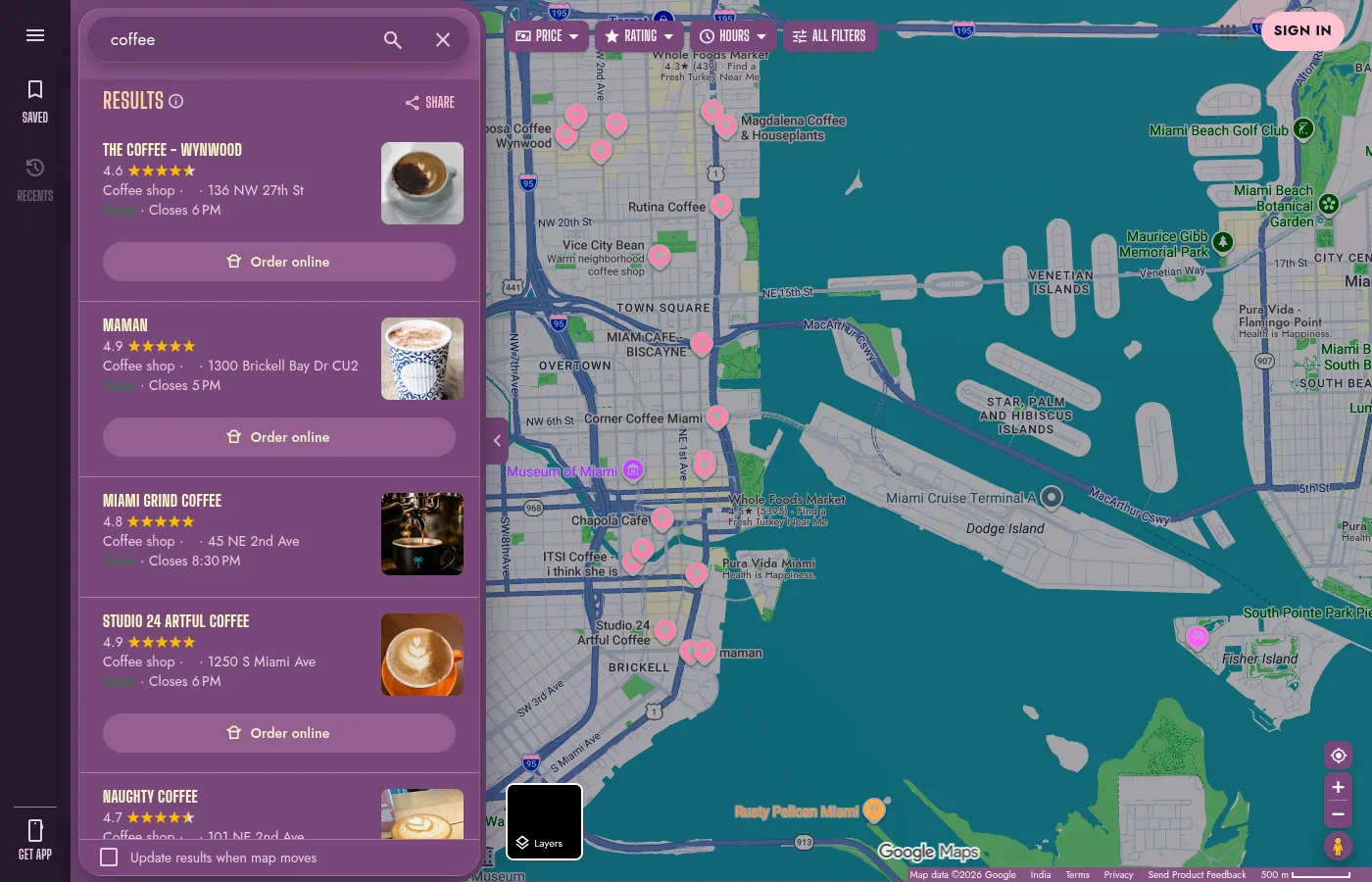
There's a small popup to turn the theme off, switch the map between Day, Night and Off, or turn the glass effect off.
Then I wanted it in my car
Once your browser looks like a game, your car's navigation starts looking very beige. So I asked the obvious next question: can I have this on my phone and on Android Auto?
You can't restyle Google Maps on Android. There's no extension store for apps. So this one had to be a real navigation app with its own map, search and routing.
The agent's first plan used Mapbox. It's polished, and its navigation SDK does almost everything. I created a public token. Then it turned out the SDK only downloads with a secret token, from Mapbox's private package repository.
I didn't want a secret key in a personal side project. So I asked one question: "Can we do without secrets?"
Yes, as it turns out. Completely.
A navigation app with zero API keys
| Part | What it uses | Key? |
|---|---|---|
| Drawing the map | MapLibre | No |
| Map tiles and fonts | OpenFreeMap, with OpenStreetMap data | No |
| Routing | Valhalla, on the public FOSSGIS server | No |
| Turn-by-turn logic | Ferrostar | No |
| Search | Photon, on Komoot's public server | No |
| Car screen | Android's Car App Library | No |
No sign-ups, no billing pages, nothing to rotate. The map, routing and search are all open source and run on OpenStreetMap data.
The base map is OpenFreeMap's Liberty style. A script recolours every layer by what it is: water, park, motorway, label. So the app ships two styles, Vice Day and Vice Night. The phone UI is Jetpack Compose with the same plum panels, deco headings and pink pills as the extension.
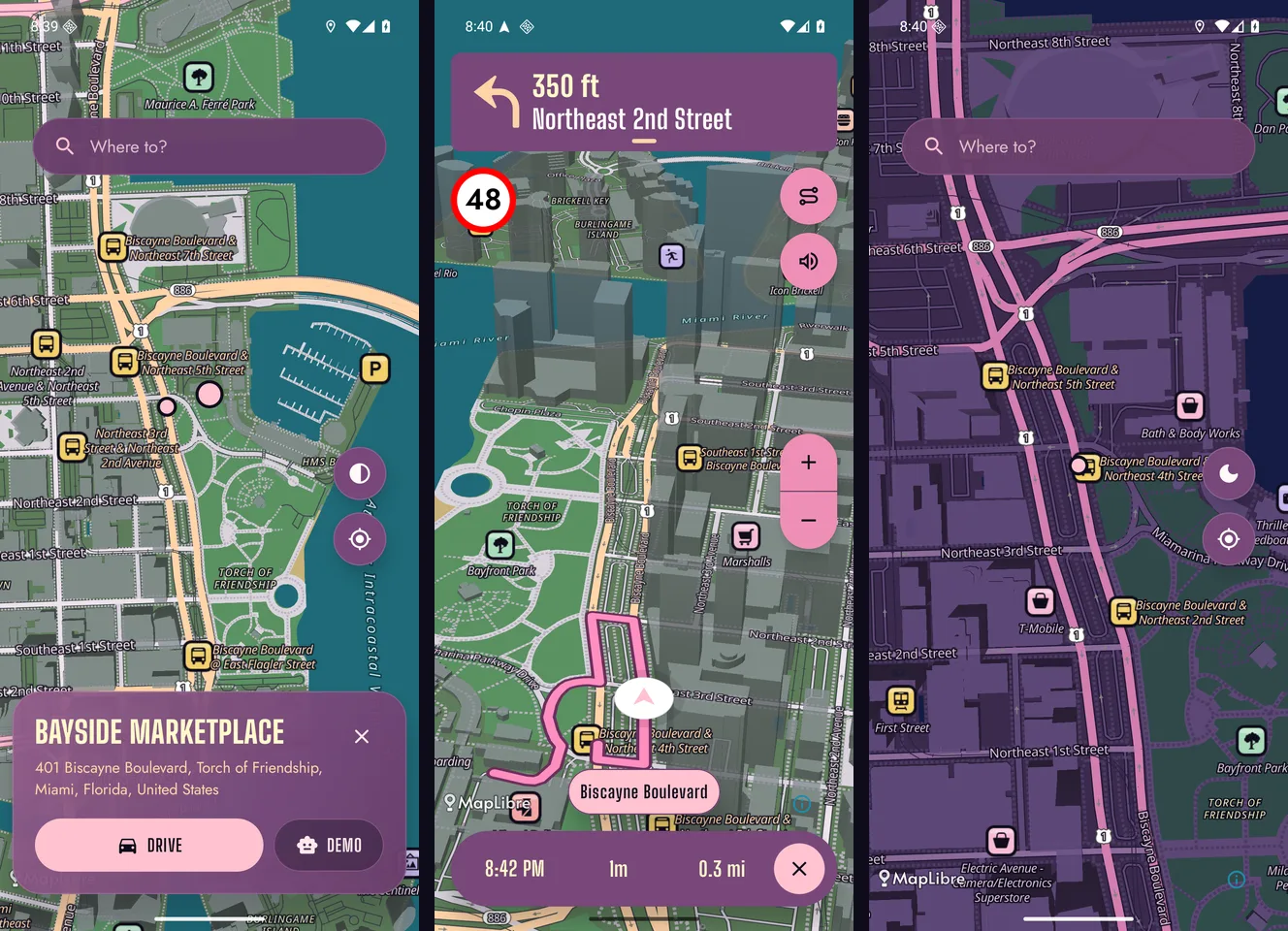
There's a Demo button next to Drive that fakes your GPS and drives the route for you. It's how the agent tested navigation on an emulator, sitting in Miami without a car. I kept it, because it's also the most fun button in the app.
"Icons don't look like the source"
The first build looked right from far away. Up close, the map was still covered in OpenFreeMap's small blue icons. MapGenie uses chunky badges in muted colours, one colour per category.
So I typed exactly that: "Icons don't look like the source."
The agent took the open-source Maki icon set and drew a badge for every point of interest: a rounded square, thick dark outline, a pastel colour per category. Food is peach, shops are pink, transport is yellow, health is coral, nature is green. It rendered them in headless Chrome, packed them into the map's sprite sheet and kept the road shields from the original.

Four of them came out as a generic pin the first time, because OpenFreeMap calls them toilets and doctors and Maki calls them toilet and doctor. That's a very human kind of bug.
151 MB is too big for a map app
The first APK was 151 MB. Most of it was native map libraries for CPU types my phone doesn't have. Dropping those brought it to 99 MB. Turning on code shrinking brought it to 43. A phone-only build is 25 MB.
The car has a bouncer
The car screens were the one thing the agent couldn't test. The Android emulator doesn't come with Android Auto, so they were built to Google's navigation templates and compiled, but nobody has run them on a car yet.
And a sideloaded APK won't get them there. Android Auto has an Unknown sources developer setting, but Google's docs say it doesn't apply to apps built with the Car App Library, which is every navigation app. On a real car, Android Auto only shows those when they come from a trusted source like Google Play.
So the car has two ways in. The Desktop Head Unit is Google's Android Auto simulator for your computer. Or Google Play's internal testing puts the app on your own phone without a public listing. A personal side project now needs a Play developer account to reach my dashboard. That's the one part of this that isn't keyless.
Shut up, how do I get it?
There's no Play Store listing and no download. It's a build-it-yourself project.
The extension takes a minute:
- Clone the repo.
- Open
chrome://extensions, turn on Developer mode, click Load unpacked and pick theextensionfolder. - Open Google Maps.
The app needs JDK 21 and the Android SDK with platform 36. -PphoneOnly builds for arm64 phones only, about 25 MB. Leave it off to include the emulator too:
cd android
./gradlew :app:assembleRelease -PphoneOnly
adb install -r app/build/outputs/apk/release/app-release.apk
For the car screen, run it in the Desktop Head Unit, or upload the build to Google Play's internal testing. Unknown sources won't do it.
One thing I'd ask: the routing and search servers are free public ones, run by volunteers and companies for everyone. They're fine for one person driving around. If you ship this to lots of people, run your own Valhalla and Photon and point the app at them. It's one Gradle property each, and the README shows how.
The interesting part wasn't the code
I didn't write any of it. I wrote about a dozen messages. A link. "Any possibility on having this in my phone / Android Auto?" "Can we do without secrets?" "Icons don't look like the source." That last one was the most useful thing I typed all day.
That's the shift for me. The hard part used to be knowing how to recolour a WebGL canvas, or which open routing engine has a public server. Now the hard part is noticing that the icons are wrong. Taste, and saying no to the secret key, turned out to be the whole job.
And it all started because a coworker sent a link with no context. Keep doing that.
Feel free to connect or reach out if you have questions, get it running in your car, or make it look like a different game.